Rabu, 09 Oktober 2013

Volume Ace v3.1.3 APK

Volume Ace 
 
Your device volume settings at finger tip.
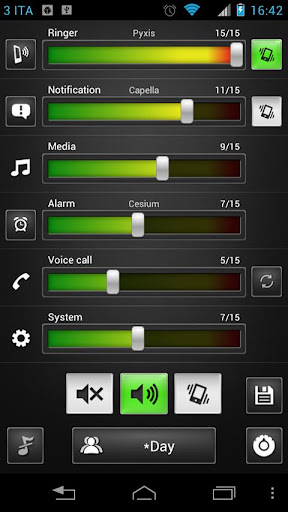
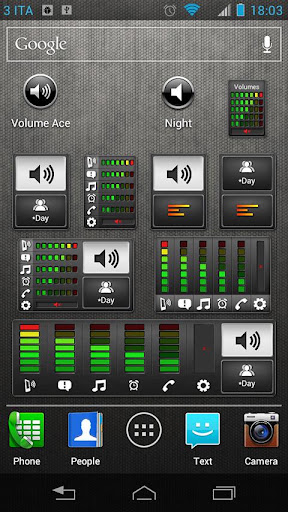
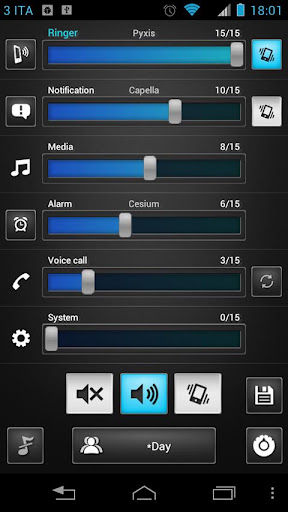
Volume Ace is a Volume Manager that allow you to fast and easily manage your device volume levels. You can create profiles and switch or select them straight from the widgets. Schedule profiles to apply automatically.

Features:

  • Profiles : Create your own volume presets. Now each profile can save his own Ringtone, Notification and Alarm tone.
  • Scheduler : Schedule profiles to apply automatically at the time and day you choose.
  • Plugs : Automatically switch to profiles of choice when plugging Earphones, Desk or Car.
  • Set Mode(From widget too): Silent, Vibration & Normal.
  • Cycle through profiles by tapping widget
  • Tone picker for Ringtone, Notification and Alarm
  • Sounds while adjusting volume (using the actual tone)
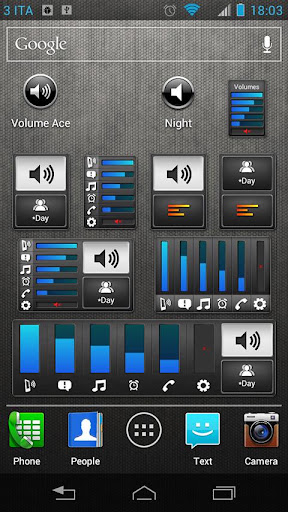
  • Widgets with volume levels and profiles
  • Custom colors/style to widgets and main screen (Default, blue, green, red, white, Vintage)
  • Volume Locker: Prevent ringer and/or media volume to be changed outside the app.
  • Bluetooth volume
  • Localization: En, Ko, Es, De, Fr, It, Da, Iw & He.
What's in this version : (Updated : Sep 30, 2013)
  • Addressed widget issues
  • Few UI adjustments
Required Android O/S : 1.6+

Screenshots :


Download : 700Kb APK
Read more ...

XnBooth Pro v1.52 APK

XnBooth Pro 
 
Create fun photo booth with XnBooth, and then post your photo strip on social network.
You can use it at events, parties with your friends, children,

Features:

  • Import your photo, or snap 4 shots using camera
  • Choose a layout
  • Apply filters
  •  Post on Facebook, Twitter, Instagram, ...
  • Send by Email
  • Save to Photo album
Keywords: photo booth, photography, photo effect, photo editor, camera effect

What's in this version : (Updated : Oct 8, 2013)
  • Multiple selection
  • Many bugs fixed
Required Android O/S : 2.2+


Download : 2.5Mb APK
Read more ...

Flipps HD (Former iMediaShare) v5.2 APK


iMediaShare
 
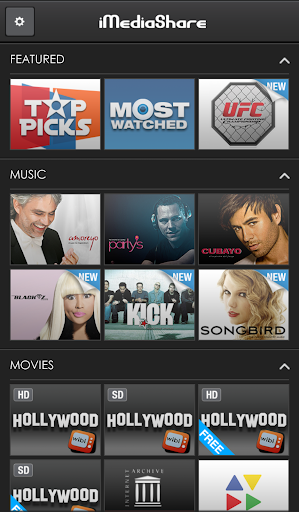
Find and play personal and online video, music and photos
Enjoy watching phone videos and photos, and playing music on your large-screen TV!
iMediaShare transforms your Android device into a remote control seamlessly streaming personal and online media to your connected TV.

iMediaShare requires no additional hardware, no cables and no TV apps. All you need is an internet-enabled TV and a WiFi network.

iMediaShare lets you take your favorite content everywhere with you making it easy to share it with friends at any time on any connected screen.

Advantages over iMediaShare Lite:
  • Ad-free experience
  • Video playback from YouTube links
  • Video playback of arbitrary mpeg files from the internet and other apps
  •  More online video channels in HD
Online channels in the full edition include: Animal Planet, Bild, Beet TV, Break.com, CBS News, CNBC, CNET (HD), CNN, COIN-OP TV, College Humor, Dailymotion, Deutsche Welle, Driving Sports, Earth Touch, Engadget, Euronews, Facebook, France 24, Funny or Die, G4, Harvard Business Review, HDNet, Les Debiles, MaYoMo, Motorz (HD), NASA TV, NY Times, Picasa, PortalZINE, PR Newswire, PSN, Revision3 (HD), Showtime, Spiegel Online, TED Talks (HD), The Onion, TWiT TV, VideoBASH, Vimeo, White House, YDN Design, YouTube (HD).

Supported players:
  1. Televisions from Samsung (w/ AllShare), LG, Sony BRAVIA, Philips, Panasonic Viera, Toshiba
  2. Game consoles: Sony PlayStation 3, Microsoft XBox 360
  3. Network Media Players: Apple TV, Sony Blu-ray, LG Blu-ray, WD TV Live, Popcorn Hour, Xtreamer, Marantz, DirecTV, Logitech Revue (Google TV), etc.
  4. Audio players: Denon, Sonos, Onkyo, Linn, Philips Streamium, Yamaha, etc.
  5. PC/Mac media servers: Twonky, Skifta, Windows Media Player, etc.
  6. Other DLNA/UPnP compliant media players.
Notes : 
  • For best playback performance on PS3, please, ensure that your PS3 is WIRED and not WIRELESS.
  • Videos recorded with the phone's camera are not supported by some TVs and game consoles.
  • For Toshiba TVs, please, enable Media Renderer mode from TV Preferences -> Network Device Setup.
What's in this version : (Updated : Oct 8, 2013)
  • Brand new name, logo and colors
  • Personal content from mobile device or around the house is moved out into a separate free application - iMediaShare Personal
  • Photos from Facebook & Picasa are also moved out
  • Supporting PS3 got harder, and we still couldn't give you the best experience that's why decided to move it out. You can still access your personal content from your PS3 with iMediaShare Personal
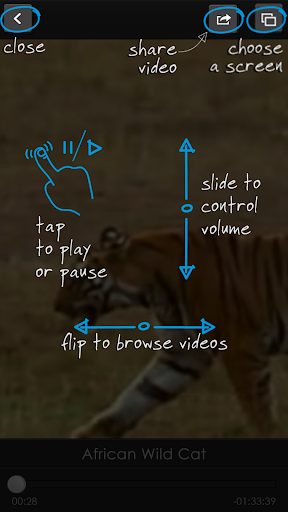
  • Completely reworked first time user guide to help you set up your environment with ease
Required Android O/S : 1.6+

Screenshots :
 

Download : 14Mb APK
Read more ...

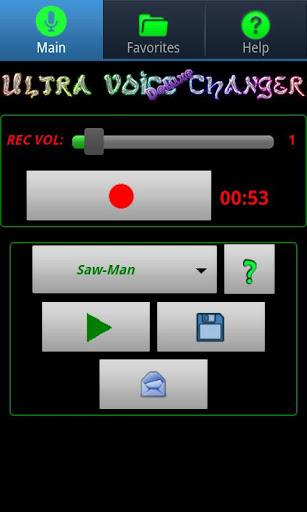
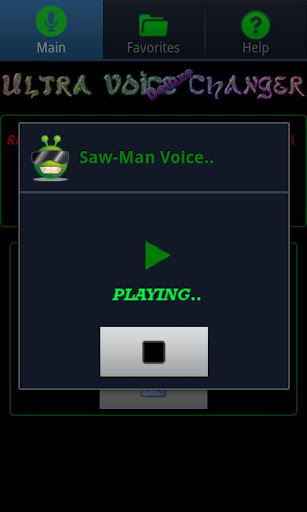
Deluxe Ultra Voice Changer v1.11 APK

Deluxe Ultra Voice Changer
 
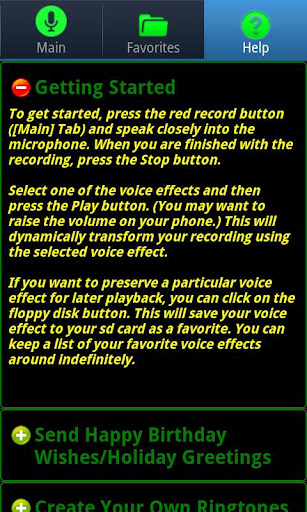
If you get abnormal playback results, even with the Normal voice effect, your
device may not be able to record properly in stereo mode. To rule this out, within the app, try selecting the 44100 mono (or 22050 mono) recording mode, via Menu->Prefs.

Note: Dalek voices are actually labeled as: Cyborg I, Cyborg II, and Cyborg III in the actual app.

NOTE: When recording, try using different recording volume levels (look for the recording volume control within the app) in order to find the levels that work best for your device. The default recording level of 1 may not be optimal for your device, so you may need to play around with that setting to get good recordings..

If you hear excessive static during playback, try lowering your recording volume and make a new recording using this lower recording volume setting.

TROUBLESHOOTING CHECKLIST:
If you are unable to record audio using this app, try the following:

CHECK 1: Speak closely into the microphone.

CHECK 2: Raise the speaker volume on your phone/device.

CHECK 3: Raise the recording volume from within the app.

CHECK 4: Also, if you have a bluetooth headset and you are not able to record audio or just get static, try turning your bluetooth headset off and see if that resolves the issue.

CHECK 5: From within the app, try selecting a different audio recording rate, via Menu->Prefs. Supported audio recording rates include: 44100 stereo, 22050 stereo, 11025 stereo, 44100 mono, 22050 mono, 11025 mono, 48000 stereo, 48000 mono, 8000 mono. Depending on your device, only a subset of these recording rates may be available to you.

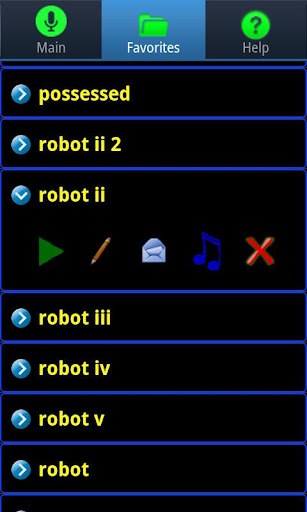
30 Total Voice Effects !

Robot 1-5 (Cylon and other scifi robots),Alien 1-4(Goauld,Asgard),Backwards,Bee,Chipmunk,Cyborg 1-4(Daleks,Cybermen),Deep,Deep Metallic(Darth Vader),Echo,Fast Backwards(foreign language),Fast Normal,Freaky 1-2,Helium(Despicable Minion),Hyper,Metallic,Possessed,Saw-Man(Jigsaw),Slow Backwards,Slow Normal

What's in this version : (Updated : Oct  7, 2013)
  • fix for Samsung Galaxy S4, et. al.
Required Android O/S : Varies with device

Screenshots :


Download : 2.4Mb APK
Read more ...

Winamp Pro v1.4.13 APK

Winamp 
 
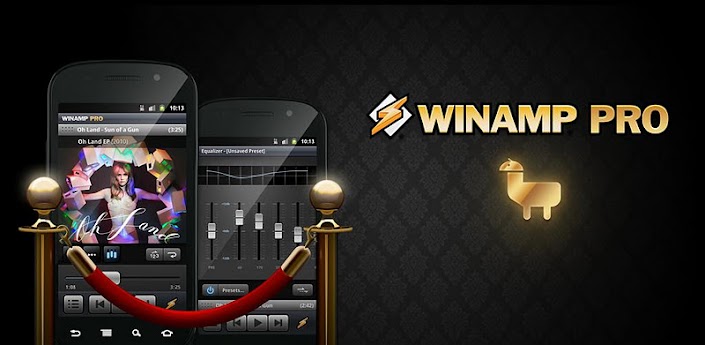
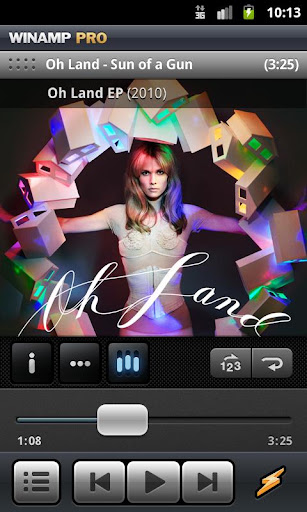
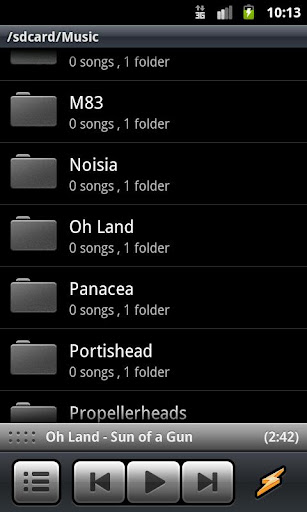
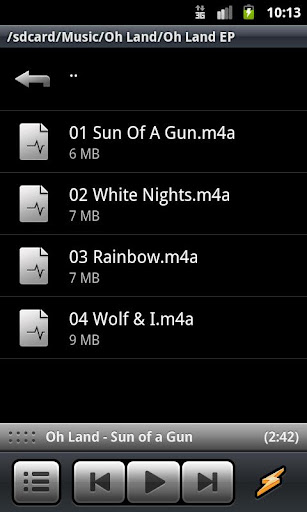
Play, manage and sync music from your Mac or PC to your Android device. Winamp Pro offers a complete music management solution (2.1 OS & above) featuring wireless desktop sync (Winamp Media Player required), iTunes import, & access to thousands of internet radio stations with SHOUTcast.

Now there are two ways to purchase the Winamp Pro features. Either as an in-app purchase of the "Pro Bundle" from the free version of Winamp for Android or by purchasing this "Winamp Pro" application. If you have already purchased the "Pro Bundle", do not purchase this app.

Pro Features: 

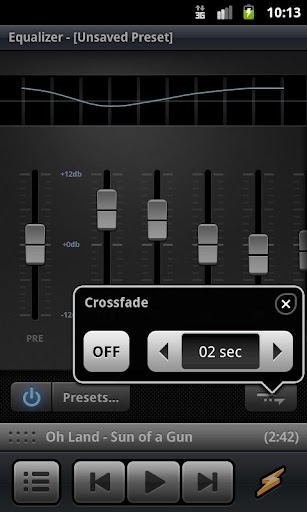
  • 10-band graphic equalizer 
  • Customizable home screen 
  • Browse by Folder 
  • Crossfade 
  • Gapless playback 
  • Support for FLAC playback in Folders View (lossless audio playback) 
  • Replay Gain 
  • Personalized station recommendations 
  • Play any streaming audio URL (supported formats only) 
  • No ads 
Core Winamp Features:
  • Supports syncing with both the Winamp Media Player (PCs) and Winamp for Mac (Beta) 
  • Free wireless syncing 
  • One-click iTunes library & playlist import 
  • Over 47k+ SHOUTcast radio stations 
  • SHOUTcast Featured Stations 
  • Persistent player controls 
  • Easily collapsible/expandable Now Playing screen 
  • Artist news, bios, photos & discographies 
  • Extras Menu – Now Playing data interacts with other installed apps 
  • Album art gesturing for track change 
  • Free Music downloads with Spinner's MP3 of the Day 
  • Free Music streaming with CDLP - on-demand streaming of popular album releases 
  • Integrated Android Search & “Listen to” voice action 
  • Browse by Artists, Albums, Songs or Genres 
  • Playlists and playlist shortcuts 
  • Play queue management 
  • Widget player (4x1 & 4x2) 
  • Lock-screen player 
  • Last.fm Scrobbling 
  • Available in 14 languages 
Note:This "Winamp Pro" app is a key (or license) that unlocks the Pro features in the free version of Winamp for Android. If you purchase this app separately in the Android Market (as opposed to an in-app "Pro Bundle" purchase) you will need to keep both apps ("Winamp" and "Winamp Pro") installed.

What's in this version: (Updated : Oct 4, 2012)
  • Fixed: Crash using Lyrics feature in some limited cases.
  • Fixed: Error playing back music files on some Song, NEC, Medion, and HTC device models
  • Fixed: More "Stutter" or "skipping" during music playback on some device models
Required Android O/S : 2.1+

Screenshots :


Download : 6Mb APK
Read more ...

ZPlayer v3.92 APK


ZPlayer 
 
Welcome to ZPlayer a Windows Phone 7 / Zune themed player, a better richer and more interactive media player.
Get album reviews, artist biographies, top tracks, playlists, related artists and podcasts (audio/video) all in one application.

+ Swiping the homescreen to the left/right shows the 'current playing' song and listening history. 
+ To jump to the 'now playing' screen, use the volume controls to reveal the music controls, and then tap on the song name(in bold) or the artist name.

Now with more widgets, fast forward and rewind controls, headset controls home screen customization, equalizer, audio effects. You can start with your own media, and learn about other artists, other tracks and what other people are listening too. Pair this media player with a last fm account and submit likes, now playing status, and scrobble tracks.

Note:
The Application uses android framework Audio Effect API, this API was introduced since android 2.3. Therefore only devices that have at least Android version 2.3 will be able to take advantage of this feature.

if you use a third party equalizer that controls the output mix for all media playing on the device, disable it before using this application. This application needs to control its own audio effects.
* audio effects implemented include Equalizer, Bassboost and Virtualizer based on Android 2.3

What's in this version : (Updated : Oct 4, 2013)
  • Improved application startup and navigation speed
  • Added Polish language
  • Added new Live Events services powered by SongKick.
  • Improved context menu options
  • New Album Art editor layout
  • Added option to search tracks from JumpTiles for songs
  • Added media preview in File Browser
  • Improved data usage / caching
Required Android O/S : 2.1+


Download : 2.6Mb APK
Read more ...

Virtual Button Bar v2.9.4 APK

Virtual Button Bar

ROOT required for full functionality Menu, Back and Search are rooted-only buttons - all others work on non-rooted devices.

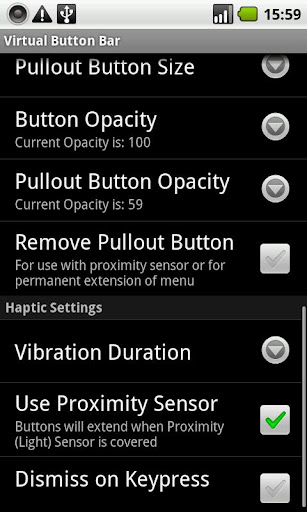
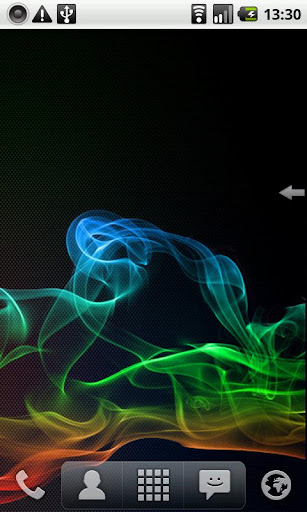
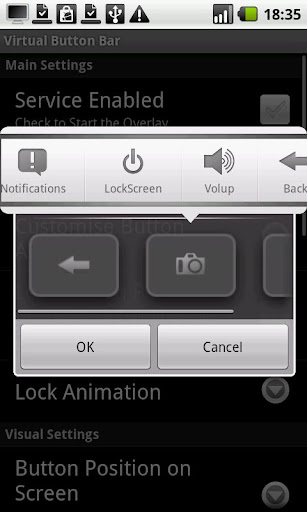
Emulates hardware keys (Home, Menu, Back etc) and overlays them on the screen, on top of all applications. Single-swipe action (see video):
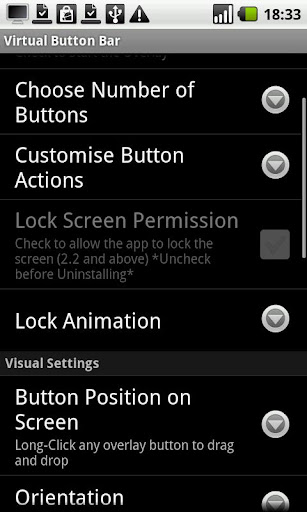
  • Choose the number of buttons you want, position them
  • Lock Screen animations including Gingerbread-style TV off (requires 2.2)
  • Change button function (vol up/down, lock device, expand Notification Bar, Camera, Search)
  • Alt-Tab functionality
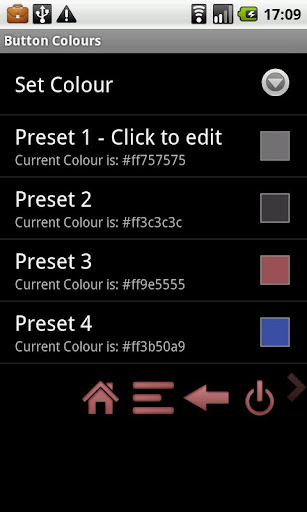
  • Change Button sizes and colour
  • Adjustable Transparency
  • Separate, independent configurations for portrait and landscape
A fully-featured but time-limited trial is available.

Perfect for Tablets including Nook Color or devices which lack hardware buttons.

Note: 
This application uses Google's Licensing Library (LVL) which means your device must have Android Market installed and periodically connect to the internet.

To uninstall: 
If you've enabled Device Administration for the lockscreen, you need to disable it before uninstalling. Uncheck the permission in-app or go to Settings -> Location and Security -> Select device administrators and uncheck Virtual Button Bar.
What's in this version: (Updated : Oct 7, 2012)
  • Added option to disable foreground service. Uncheck to dismiss the permanent notification in 4.3+ but have higher chance of app being closed at low memory
Required Android O/S : 2.1+

Screenshots :


Download: 320Kb APK
Read more ...

TuneIn Radio Pro v7.1 APK


TuneIn Radio Pro
 
TuneIn is a new way to listen to the world through live local and global radio from wherever you are. Whether you want music, sports, news or current events, TuneIn offers over 50,000 stations and 1.2 million on-demand programs for you to choose from. 
The TuneIn Radio Pro app for Android puts this entire experience in the palm of your hand with the added benefit of recording what you’re listening to (requires memory card).

Important Update: This new version of TuneIn (5.3) includes Car Mode, which lets you listen to your favorite music, sports and news simply by speaking a command into your Android phone or tablet. This update also includes extra large buttons for easy viewing and control.

What's in this version :
  • NEW:
  • Introducing TuneIn Live for Android, an all-new way to listen to the world's radio. The new Live screen presents a vivid array of album artwork and show titles that flip every time something new starts. Sign up for a free TuneIn account to personalize this entire experience, and TuneIn will help you discover the best sounds in the world based on your interests.
Required Android O/S : 1.6+


Download : 6.5Mb APK
Read more ...

Full Screen Caller ID Pro - BIG! v3.0.8 APK


Full Screen Caller ID - BIG! Pro

Set a full-screen photo for your friends and enjoy vivid and high definition caller photos.
Connect with Facebook to download friends photos.
Doesn't work with MIUI ROM - they block third party apps of this type.

Features:
  • connect with facebook, and download full-screen photos automatically(and browse albums!),
  • customize caller ID screen content,
  • switch between caller screen Themes, choose click or slider,
  • choose full screen caller ID for all or only a few contacts,
  • full screen caller for incoming calls,
  • full screen caller for outgoing calls.
Themes Editor
  1. go to Themes,
  2. select and edit,
  3. move buttons by holding and dragging,
  4. switch to slider with a single click on a button (FIRST you need to drag a button to the edge of the screen)
  5. change default contact photo from the MENU button,
  6. switch to other states of a call by swiping left or right,
  7. reset to default from the MENU button
What's in this version : (Updated : Oct 8, 2013)
  • Version 3.0 with a completely redesigned UI and more features of a stock contacts list. Now you can call, text, email and more through your friends' profiles. Tell us what you think in comments!
  • And:
  • Google Plus integration
  • Dropbox integration
  • Timer added to call screen
Required Android O/S : 2.1+


Download : 1.5 APK
Read more ...
 

Komentar r3z4

Teman r3z4

Profil r3z4

Foto saya
Musuh yang paling berbahaya di atas dunia ini adalah penakut dan bimbang. Teman yang paling setia, hanyalah keberanian dan keyakinan yang teguh. Seorang profesional adalah seseorang yang dapat melakukan kesalahan sekecil mungkin dalam bekerja
Black Sweety Template by jOe Adie
Copyright © 2010 𝓘𝓝𝓓𝓞𝓝𝓔𝓢𝓘𝓐𝓚𝓤